
What a Network Error Usually Means
A network error in 3 Patti Pearl means the client could not complete a required conversation with online services in time. The cause might be your Wi‑Fi, your mobile carrier path, DNS settings, a VPN, a captive portal, server busy windows, or a phone radio that went to sleep aggressively. The error is a messenger. It is not always proof that the game itself permanently broke.
Start by asking whether other online apps work. If nothing works, fix the device network first. If everything else works, narrow into game-specific path issues, VPNs, and version mismatches that present as timeouts.
Network errors are not solved by outcome hacks or modified clients. Those downloads add risk without repairing sockets.
Two-Minute Isolation Tests
Isolation tests are faster than reinstalls. Toggle airplane mode for ten seconds, then restore. Switch from Wi‑Fi to mobile data or the reverse. Visit a simple website. If you are on public Wi‑Fi, try a personal hotspot. These moves locate the broken hop without touching account data.
- Confirm other apps can use the internet
- Toggle airplane mode to reset the radio
- Compare Wi‑Fi versus mobile data
- Retry without VPN or proxy
- Disable experimental private DNS temporarily
- Move closer to the router or away from dense interference
Evening congestion in dense Pakistani neighborhoods can create one-app failure feelings when the path is just saturated. Waiting twenty minutes is a valid technical step when isolation tests flap between success and failure.
Wi‑Fi Specific Issues
Home routers with aggressive AP isolation, outdated firmware, or parental filters may interrupt game traffic while still loading basic websites. Reboot the router. Try the 2.4 GHz versus 5 GHz band if both exist. Temporarily disable third-party router ad blockers that break HTTPS in creative ways.
Captive portals on guest networks require a browser login before general traffic works. Open a browser, complete the portal, then return to the game. People often misread captive portals as app-specific outages.
| Wi‑Fi clue | Likely issue | Try |
|---|---|---|
| Webpages need login first | Captive portal | Authenticate in browser |
| Only game fails | Filter/DNS/VPN path | Change DNS test / off VPN |
| All apps fail | Router or ISP outage | Reboot router; check data instead |
| Works near router only | Weak signal | Move closer; reduce walls |
Mobile Data Paths
Carrier congestion, temporary APN glitches, and SIM issues affect games that need persistent connections. Toggle data, reseat the SIM if you are comfortable doing so, and test another SIM if the device is dual-SIM and one line is weak. Avoid downloading large updates on flapping LTE that will also sabotage live tables.
Battery savers that restrict background data can drop the game when you glance away. Allow unrestricted data for 3 Patti Pearl during troubleshooting. You can restore stricter settings later if they are truly needed.
- Test the other SIM on dual-SIM phones
- Disable data saver for the game temporarily
- Avoid underground or elevator tests as your only sample
- Keep the phone cool; thermal throttling hurts radios
- Watch for carrier outage notices before reinstalling the game
VPN and DNS Experiments
VPNs sometimes improve a path and sometimes destroy it. If you recently enabled a VPN, test with it off. If you need a VPN for other reasons, try a different server region rather than stacking three VPN apps. Private DNS set to a broken resolver can also produce selective failures; switch back to automatic for a control test.
In-Game Moments That Fail
Some network errors appear only at matchmaking, reward claim, or login. Note the moment. Matchmaking timeouts during peak hours may clear with patience. Reward claim failures often succeed after a reopen on stable Wi‑Fi without extra spending or extra installs.
If you disconnect mid-hand, prioritize reconnecting over rage tapping. Rapid rejoin spam can extend session confusion. Give the client a clean relaunch once.
- Note whether failure is at login, lobby, seating, or claim
- Relaunch once on the best network available
- Wait through peak windows when many friends report the same error
- Update the client if version mismatch messages appear
- Only then consider cache clear
Device Radio Hygiene
Old Wi‑Fi MAC randomization bugs, conflicting hotspot sharing, and Bluetooth tethering chains create odd failures. Simplify: one connection path, no accidental hotspot, VPN off for the control test. Restart both phone and router when the path has been up for weeks without reboot.
IPv6 quirks on some networks rarely appear in casual browsing but show up in games. If your router offers a temporary IPv4-focused mode and isolation tests suggest a weird partial connectivity, that experiment can be informative. Revert if it does not help.
| Device factor | Symptom pattern | Control test |
|---|---|---|
| VPN on | Fails only with VPN | Disable VPN |
| Private DNS broken | Selective app failures | DNS automatic |
| Data saver | Fails after screen idle | Unrestricted data for app |
| Overheated phone | Drops after long sessions | Cool down; shorter session |
Server-Side Patience
Not every timeout is your home’s fault. Maintenance windows and regional congestion happen. If official notices or multiple trustworthy friends confirm an outage, stop dismantling your settings. Set a retry alarm and do something else.
Repeated reinstalls during confirmed outages risk downloading from impatient, low-quality mirrors. Protect yourself by waiting for the service path to heal.
- Believe multi-source outage reports
- Avoid mirror shopping while angry
- Keep credentials safe during downtime
- Retry once on a clean network later
- Document time-of-day patterns for your area
False Fixes to Skip
Skip network booster APKs, fake signal enhancers, and paid Discord helpers who want remote access. Skip changing your password five times for a pure transport error. Skip installing a second copy of the game in a clone space as a network repair; that usually multiplies confusion.
Also skip conspiracy theories that a network error proves the app targeted your account. Transport failures are usually boring. Boring is good news because boring problems have ordinary fixes.
When to Move to App Repair
If isolation tests show a perfect network and only this app fails across Wi‑Fi and data for many hours, move to app repair: force stop, cache clear, trusted update, then reinstall. Network checklist first keeps you from wiping data for a router problem.
Household Bandwidth Sharing
Many network errors are social more than technical. A sibling starting a large game download, a smart TV updating, or a backup uploading to the cloud can starve a live table. Before long sessions, ask who else needs the link, or schedule your play when the household pipe is quieter.
Quality of Service settings on advanced routers can prioritize work devices over entertainment. If someone changed QoS recently, your phone may be in a low-priority lane. Checking that setting is more productive than reinstalling 3 Patti Pearl for the third time.
- Pause cloud backups during serious events
- Avoid 4K streaming on the same Wi‑Fi mid-final
- Prefer ethernet for heavy household downloaders when possible
- Ask before starting large updates on shared routers
- Consider a phone hotspot only if it was tested earlier
Signal Myths That Waste Time
Rubber phone charms, random aluminum tips, and paid signal APKs do not repair authentication timeouts. Neither does toggling twenty developer options you do not understand. Stick to reversible, explainable tests. If a tip cannot say what system component it changes, it is theater.
Another myth says that clearing all data every time you see a network error somehow refreshes luck. It does not. It only risks login friction. Reserve data clears for true corruption cases after network isolation failed.
| Myth | Reality | Replace with |
|---|---|---|
| Signal booster APK | Often malware | Airplane toggle + network switch |
| Data clear fixes all timeouts | Erases local state unnecessarily | Isolation tests first |
| VPN always helps games | Helps or hurts by route | A/B test on/off |
| Reinstall is step one | Usually step five | Radio reset and router reboot |
Logging Patterns Without Fancy Tools
You do not need a packet sniffer to learn your network story. A simple note with time of day, Wi‑Fi versus data, VPN state, and whether friends saw the same error will reveal patterns within a week. Patterns tell you whether to blame the tower rush hour or the client build.
If errors cluster only on one router band, stay on the stable band during tournaments. If errors cluster only with a specific VPN server, remove that server from your rotation. Evidence beats superstition.
- Record time, network type, and VPN state
- Compare with one trusted friend’s experience
- Adjust habits based on clusters, not one-off blips
- Keep notes short so you actually continue them
- Bring those notes if you contact official support
Closing Perspective on Network Errors
Treat network errors as path problems first and app problems second. Isolate with airplane toggles, network switches, VPN/DNS controls, and router reboots. Respect peak-hour congestion. Keep malware “boosters” out of your phone.
A stable path makes every other 3 Patti Pearl feature more pleasant: logins stick, spins claim cleanly, and tournaments hurt less when the radio behaves. Investing ten minutes in isolation tests is usually wiser than investing an hour in chaotic reinstalls.
When the error clears, resist launching three heavy downloads on the same Wi‑Fi while you play. Share the pipe fairly with your own session. Your future disconnect rate will thank you.
If you travel between cities, expect network fingerprints to change: new ISP routes, hotel captive portals, and unfamiliar DNS defaults. Run the two-minute isolation tests in each new location before you enter a long event. A hotel lobby that loads news sites can still block or throttle game sockets until you complete its portal or switch to mobile data.
Treat every new venue as an untested path. Two minutes of checks there prevents an hour of false app blame later. Stable sockets beat optimistic assumptions.
Screenshots
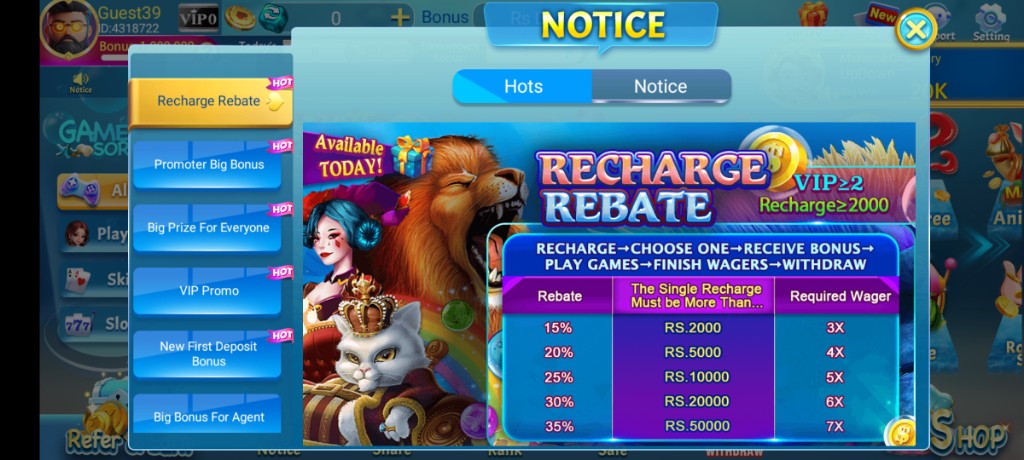
These are real app UI screenshots to make each step easier to follow. Balances and events can change, so always match what you see in your installed version.
Frequently Asked Questions
Why do I see timeouts with full signal bars?
Signal bars do not equal clean packet delivery. Congestion and packet loss still happen.
Should I keep VPN on for gaming?
If errors appear, test with VPN off.
Wi‑Fi to 4G switching breaks login. Normal?
Yes, mid-switch drops are common. Stabilize one network first.
What is a quick airplane-mode reset?
Toggle airplane mode for about 10 seconds to refresh the radio link.
When are networks worst in Pakistan?
Busy evenings and major live-event peaks often feel less stable.
Do network errors mean my account is banned?
Usually not. Try the checklist before assuming account issues.
Conclusion
If the app itself will not open at all, use the not-working fix order.
Next step: 3 Patti Pearl Not Working? Try These Fixes.