
How to Read This FAQ Hub
This FAQ hub answers common 3 Patti Pearl questions in plain English for Android users in Pakistan. Answers stay practical: what to check, what to avoid, and which dedicated page to open when you need a full checklist. Skim by category. Stop reading and execute steps when you recognize your issue — endless FAQ scrolling can become its own delay habit.
Menus and labels can differ slightly by app version. Match the idea of the answer to what you see on screen. If a stranger’s answer demands your OTP, remote access, or a mod file, it is not an FAQ — it is a threat script.
Category: Download and Install
Is downloading the APK enough to start playing?
No. A finished download only means the installer file is on the phone. You still need a successful install, network access for first launch, and a login or registration path. Treating download as “done” is why people panic when the lobby never appears. After the file is complete, follow install permissions carefully, then open the app on stable internet.
Should I download on Wi‑Fi or mobile data?
Either can work, but unstable signal creates incomplete files that later fail to install. Trusted Wi‑Fi is usually smoother for the first full download. If you must use mobile data, avoid moving between congested areas mid-transfer, keep enough storage free, and do not start multiple huge downloads at once.
When do I enable install permission for unknown apps?
Enable it when you are ready to install, and only for the browser or file manager you trust. You usually do not need it during the download itself. After a successful install, review that permission so it does not stay open longer than necessary.
Why do two sites show different “latest” versions?
Mirrors and pages update at different speeds, and some chase clicks with fake labels. Prefer a source you trust, note the version you actually install, and avoid hopping across random mirrors in one evening. Consistency beats chasing the highest number on a banner.
Category: Account and Login
Is Guest mode enough for long-term play?
Guest mode is a weak long-term plan because progress and identity can be harder to recover after uninstalls, device changes, or data clears. If the app offers Logon, Bind Mail, or similar registration, complete a recoverable method before you care about bonuses or longer sessions.
What if OTP SMS is delayed in Pakistan?
SMS delays happen. Wait through a reasonable window before hammering resend. Rapid resend loops can trigger temporary blocks. Confirm you typed the number correctly, check signal, and avoid sharing the OTP with anyone claiming to be support in a chat app.
Why does the app return me to login again and again?
Common causes include wrong credentials, unstable network during authentication, clock or session glitches, and corrupted app state after a messy update. Force-stop, confirm network quality, retry once with careful typing, and only then consider cache or reinstall steps from the login-problem page. Do not reset passwords five times in a panic.
Can family members share one Pearl account on one phone?
Shared phones are common, but shared accounts create disputes and recovery confusion. If multiple people play, agree who owns the login method and never show passwords on video calls. Prefer separate accounts when the app and household rules allow it.
Category: Gameplay and Rules
Should I learn rankings before joining busy tables?
Yes. Trail, Pair, Color, Sequence, Pure Sequence, and Trail-style top hands are easier to remember in a quiet practice session than under pressure. Learning by only watching loud tables often produces expensive guesses. Spend a short session on the rules page concepts, then play low-pressure hands.
What does blind play mean in simple terms?
Blind play means acting without looking at your cards, usually at a different stake pattern than seen play. Exact button labels vary by build. The important habit is knowing whether you are blind or seen before you tap, so you do not accidentally overcommit while confused.
How do I play with friends safely?
Use whatever friend or room invite tools your build provides, and keep stakes inside group comfort. Do not circulate APKs inside the chat as “special friend packs.” Safety is part of social play: same careful source for everyone, no OTP sharing, and agreed session limits so friendship survives variance.
Category: Bonuses and Rewards
Why does my daily bonus look claimed but chips look unchanged?
Possible causes include network delay before the balance refreshes, claiming on an unstable connection, looking at the wrong currency or tab, or misunderstanding a locked streak rule. Note the exact message, retry once on Wi‑Fi, and restart the app calmly. Avoid reinstalling solely because a counter lagged for a minute.
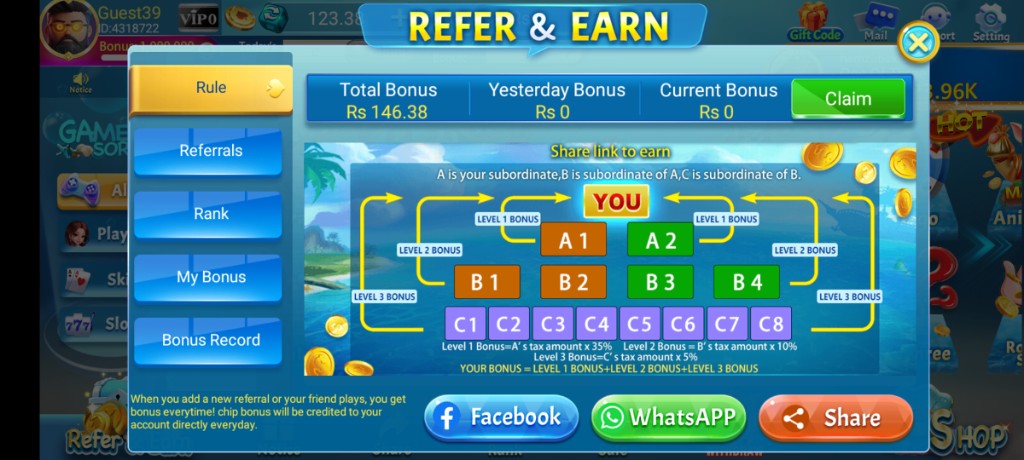
Do referral rewards mean I can earn a salary?
No. Referral tools are optional in-app growth features with their own rules and eligibility checks. They are not a job offer. Never buy fake referrals or share OTPs to “unlock VIP referral tiers.” Read the referral screen literally and track credits inside the app only.
Are VIP progress and Lucky Spin guaranteed value?
They are promotional and progress layers. Outcomes and availability vary by event timing and account state. Treat them as optional extras. Building a play schedule around spin icons usually harms sleep more than it helps entertainment.
Category: Safety and Support
Is 3 Patti Pearl safe?
Safety is mostly habit-dependent: careful APK source, permission awareness, strong login ownership, and refusal of mod/hack files. No entertainment APK is “safe” if you install clones from strangers or hand over OTP codes. Use the safety checklist page for a fuller risk review.
How do I contact support the right way?
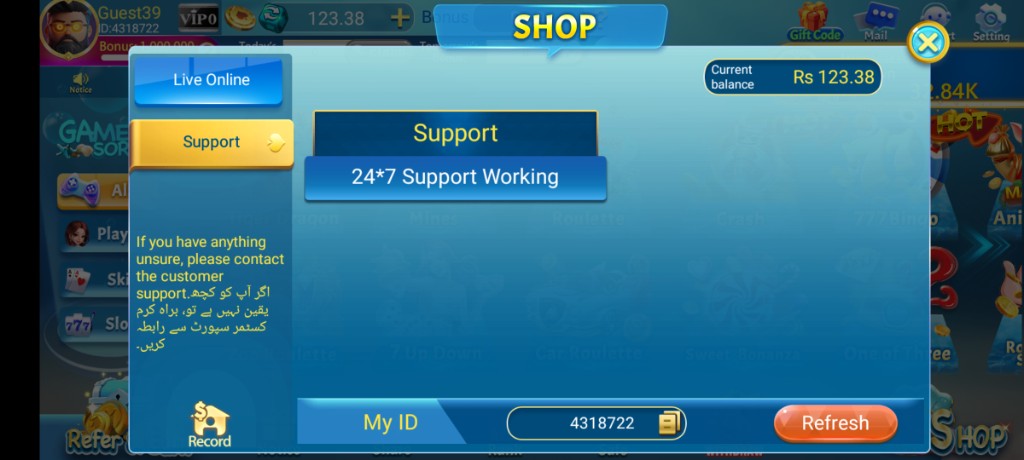
Prefer in-app Support paths such as Shop → Support or a Support icon when available. Copy My ID or the account identifier the app shows. Send device model, Android version, app version if visible, exact error text, and steps already tried. Never include passwords or OTPs.
Someone on WhatsApp says they are Pearl support. What now?
End the chat. Real recovery does not need your OTP, remote-control apps, or fee-for-unlock stories sent through random numbers. If you already shared an OTP, change passwords on related email or phone-linked services and review account activity carefully.
Category: Troubleshooting Shortcuts
The app will not open. What is first?
Check storage space, reboot once, confirm you are opening the real installed package, and try a stable network. If it still fails, use the ordered fixes on the not-working page before deleting your account hopes. Random reinstall loops without diagnosis often make login recovery harder.
I see network or server timed out messages.
Treat these as connection problems first: switch between Wi‑Fi and data, avoid VPN clutter during tests, move to a better signal spot, and retry after a short pause. If only Pearl fails while other online apps work, note the time and exact wording for support. If everything online fails, fix the network before blaming the APK.
Should I fear every update?
No. Fear random sources, not the idea of maintenance. Note your version, update through a careful path when needed, then verify login and bonus counters. Use the changelog-style checklist to separate UI moves from true breakage.
- Download doubts → APK download and safety pages
- Permission and install errors → install and install-failed pages
- Password, OTP, loops → login and login-problem pages
- Disconnects mid-table → network-error page
- Device fitness → system requirements page
- Human help → support page templates
If three issues hit at once — full storage, weak signal, and a typo in the password — fix them in that order: resources and network first, credentials second. FAQ answers assume one primary fault. Sequenced repair beats chaotic tapping. When your issue is solved, stop collecting alternate APKs “just in case.” Stability likes boredom.
Category: Device and Performance
Can low storage look like an app bug?
Yes. When storage is nearly full, installs stall, updates fail, caches misbehave, and launches look haunted. Free 1–2 GB, reboot, and retry before you assume the account is broken. Many FAQ loops end here because people skipped the boring storage check.
The phone gets hot during Pearl. Is that unique?
Long sessions, charging while playing, weak signal retries, and warm rooms all raise temperature on common Pakistan handsets. Shorten sessions, remove the soft-mattress charging pile, and close heavy background apps. Heat throttling feels like software failure even when the build is fine.
My Android version is old. Can I still play?
Sometimes yes, with more friction in permission screens and security prompts. Extremely outdated systems increase risk for every sideloaded app. If installs repeatedly fail in odd ways, check the system requirements page and consider whether the OS itself is the bottleneck.
Category: Expectations and Myths
Can any FAQ promise profit from Pearl?
No. Chance-based card entertainment does not become a salary because a page uses confident language. Avoid FAQs, videos, or agents that guarantee daily cash. Those promises are the myth to reject first.
Will reinstalling change my luck?
Reinstalling can fix corrupt installs; it does not reset mathematical variance in your favor. If you reinstall, do it for technical reasons with your login method ready — not as a superstition after a losing night.
Is using two phones at once a good idea?
Two phones multiply login confusion and APK-source risk. Beginners should master one clean install. Advanced multi-device setups are outside the scope of safe beginner advice and often hide unsafe cloning habits.
Category: Bonuses Follow-ups
What if I break a daily streak by missing a day?
Streak rules are defined in-app and can reset based on timers you may not notice while traveling or during network outages. Read the reward screen literally. Do not install a second app claiming it restores streaks. If a counter looks wrong after an update, verify on Wi‑Fi and note the exact UI text for support.
My friend entered a referral code but I see nothing.
Referral credits often depend on eligibility, timing, account state, and anti-abuse checks you cannot see. Confirm both of you used official in-app flows, not a third-party “referral seller.” Wait for a sync on stable network, then check the referral tracker screens. Buying fake referrals is a scam pattern.
Use categories as doors, not as a place to live all evening. When an answer points to download, install, login, network, or support pages, open that door and execute. FAQ knowledge without action becomes trivia. Pearl problems usually shrink when you apply one sequenced fix at a time and refuse glamorous shortcuts that ask for OTP codes or mod files.
Screenshots
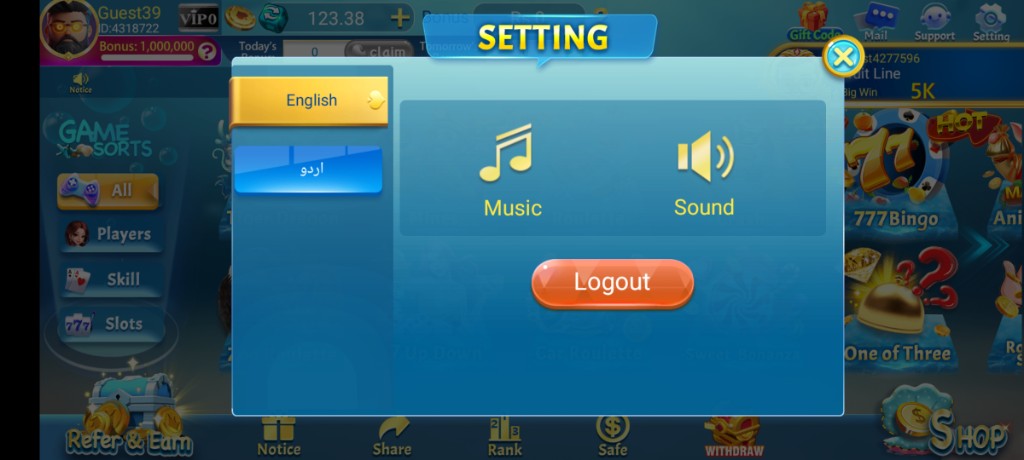
These are real app UI screenshots to make each step easier to follow. Balances and events can change, so always match what you see in your installed version.
Frequently Asked Questions
Where do I download 3 Patti Pearl safely?
Start with the APK download page and avoid random shortened links.
Guest or registered account?
Register or bind before progress you care about.
App not opening — first step?
Check network, reboot, then see the not-working page.
Are unlimited chip APKs real?
Treat them as unsafe. Avoid mod claims.
How do I contact support?
Use in-app Support and share your ID. Read the support page.
Is this FAQ a full manual?
No. Use it for quick answers, then open dedicated pages for full steps.
Does this site promise income?
No. Pages are informational and entertainment-focused.
Which page is best for absolute beginners?
The beginners page, then APK download and install.
Conclusion
Beginners should continue with the beginners path after skimming FAQs.
Next step: 3 Patti Pearl for Beginners on Android.