
What Good Support Contact Looks Like
Contacting 3 Patti Pearl support should feel boring and specific. You open an in-app channel, identify your account safely, describe one problem with evidence, and avoid every chat that asks for OTP codes or remote control. This page is about that boring path for Android users in Pakistan — not about unofficial agents on WhatsApp.
Support works best when you have already tried basic checks: stable network, correct login spelling, enough storage, and a single careful update path. Tickets that say only “game not open” force slow guesswork. Tickets that include model, Android version, and exact error text move faster.
In-App Support Path
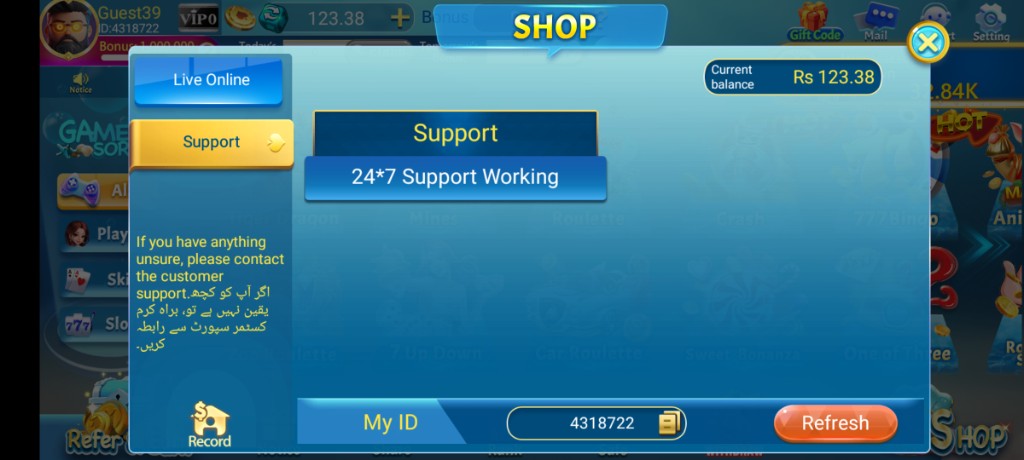
Look for Support inside the app — commonly under Shop → Support or via a Support icon, depending on your build. Copy My ID or the account identifier shown there before you write anything. English details are fine even when helper text also appears in Urdu. Stick to official in-app entry points rather than phone numbers forwarded in stranger stories.
- Open Pearl on a stable connection
- Navigate to Support through in-app menus
- Copy My ID / account ID to your note app
- Write one complete report using the template below
- Send once; wait before spamming duplicates
Support Message Template
Use a template so you do not forget facts under stress. Include account ID and login method type — never the password. Add phone model, Android version, and app version if visible. Paste exact error text. State when it happens (launch, login, bonus claim, mid-table). List what you already tried. Clear facts outperform fancy vocabulary.
| Weak message | Stronger message |
|---|---|
| Game not open | App closes about two seconds after splash on Android 12, Tecno model X |
| Bonus missing | Daily bonus shows claimed at 9 p.m. but balance unchanged on Wi‑Fi |
| Hack my id fix | I will not use remote tools; please advise official recovery steps |
| Not working | Logon returns ‘network timeout’ on Jazz data; Wi‑Fi works |
Language Clarity Beats Fancy Vocabulary
You can mix simple English with Roman Urdu fragments if sentences stay specific. Example: “After Logon button, network timeout on Jazz data, not on Wi‑Fi.” That beats “app kharab hai” without details. If someone helps you type, still do not dictate OTP or password aloud in public.
What Support Can and Cannot Do
Realistic expectations reduce anger. Support can often clarify feature locations after updates, accept bug reports, and advise on account access when you provide enough ownership facts. Support cannot see opponent cards for you, settle friend-table arguments, guarantee wins, or magically undo damage from unsafe mod installs in every case.
| Request type | Usually realistic? | Better first step |
|---|---|---|
| Where did the bonus button move? | Yes | Scan menus; check bonus pages |
| Recover access with partial details | Sometimes | Provide accurate login method facts |
| Guarantee table wins | No | Stop and reset entertainment expectations |
| Install a remote control fix app | No / dangerous | Refuse; stay in-app only |
Anyone demanding OTP, remote access, or a fee to “unlock support priority” is not a safe channel — end contact.
Scam Filters Around Support
- No OTP sharing for “verification by agent”
- No unknown APK that claims to be a support tool
- No payment to a personal wallet to release your account
- No screen-share sessions with strangers who found you via a win screenshot
If you already exposed an OTP, treat it as a credential incident: secure email and phone-linked accounts, and review whether your Pearl login needs a careful reset through official flows only. Shame helps scammers; structured response helps you.
Follow-up Etiquette
When you learn new evidence — error text changed, Wi‑Fi test succeeded, update number noted — send one follow-up labeled clearly as an update. You do not need to paste the entire novel again if a ticket reference exists. Etiquette is not slow; confusion is slow.
While waiting, avoid installing alternate clones “to pressure a faster reply.” Parallel unsafe installs can destroy the very account state support is trying to interpret. Keep the environment stable.
Keep a Tiny Self-History
After a case ends — fixed or identified as a device limit — save your notes. Future similar errors will trigger less panic. Self-history turns support from a rare crisis into a documented maintenance loop. Pair this page with login-problem and not-working checklists so you only escalate when self-checks fail.
Good support contact protects dignity: you refuse unsafe shortcuts, you describe facts, and you accept that some issues are network or hardware limits. Pearl entertainment survives longer when support is a precision tool rather than a superstition. Use the in-app path, send one complete report, and keep your OTP out of every conversation that is not the official phone SMS channel for login.
Prep Before Opening a Ticket
Spend five minutes on prep: reproduce the issue once on Wi‑Fi, note whether it also happens on data, capture exact wording, and confirm you are on the account you think you are on. Prep prevents duplicate tickets that contradict each other. It also prevents you from “fixing” things mid-ticket with unsafe third-party apps that muddy the case.
If the issue is payment-field related, never send full secrets in plain chat beyond what official flows require. Describe the field name and the error text. Support templates should shrink secrets, not expand them.
Channels to Avoid
- Random WhatsApp numbers claiming official status
- Social media DMs that demand OTP for “ticket acceleration”
- APKs titled support tool, unlock tool, or remote fix
- Paid Telegram “recovery experts” found under win screenshots
Avoidance is active. Save the in-app path as a favorite mental bookmark. Teach one family member the same avoidance list so they do not “help” by inviting a scammer. Support safety is partly household education.
Tone for Account Recovery Requests
Calm factual tone works better than threats. State last successful login time if known, method used, device change dates, and whether you still control the email or number. Do not invent fake purchase receipts. Do not accuse employees personally in the first message. Firm and factual is enough.
If you lost access because you shared the account, say so honestly. Hidden shared-access stories waste rounds of troubleshooting. Honesty is not confession theater; it is diagnostic data.
When Support Is Not the Blocker
Some problems are local: airplane mode toggles, VPN leftovers, DNS experiments, full disks, and wrong passwords typed with caps lock habits on hardware keyboards. If basic local checks fix the issue, close the loop without waiting for a reply. Support queues are for what remains after local checks.
- Confirm network with another online app
- Confirm storage headroom
- Confirm credential spelling in a password manager or careful retype
- Confirm you updated through a careful path only once
- Then open the in-app ticket if still broken
After Resolution
When fixed, write down the cause in one line: network, storage, credential, client bug, or user process error. That line becomes part of your self-history. Also rotate any password you exposed during panic. Resolution without hardening invites a repeat.
Thank-you messages are optional; clear confirmation that the issue is resolved helps more. Then return to normal limited play. Support success should not become an excuse for a celebratory chase session at high stakes. Keep the emotional graph flat on purpose.
If unresolved, ask what additional non-secret detail would help, and keep refusing remote tools. Persistence with boundaries is adult. Persistence with OTP sharing is how accounts vanish. Pearl support contact is a skill you can reuse across other sideload apps, which makes this page worth practicing even on a quiet week.
Screenshot Hygiene for Tickets
Screenshots help when they show the error dialog clearly. They hurt when they expose passwords, full card numbers, or unrelated personal notifications. Crop aggressively. If the error is text, typing the text is often enough without an image.
Do not send screen recordings that include you typing credentials. Support does not need that risk, and leaked recordings travel further than you intend.
Multi-Issue Discipline
If you have a login problem and a bonus counter doubt, separate them into two clear reports or two clearly labeled sections. Mixed issues create mixed replies. Fix network and storage first when both are suspicious; credentials next; reward counters last.
Discipline also means not opening three social channels in parallel with contradictory stories. Pick in-app support as the spine. Parallel unofficial channels are how scammers insert themselves as “faster help.”
Household Rules Around Support
Agree at home that nobody installs remote-fix tools for Pearl, nobody shares OTPs with callers, and one person owns each account’s login method. Household rules prevent well-meaning relatives from inviting scammers during a panic. Put the in-app support path on a note near the charger if multiple people play.
If a child or younger sibling uses the phone, keep Pearl behind adult login ownership standards appropriate to your family. Support tickets become messy when the person messaging does not control the email or number on the account.
These rules sound parental because sideload entertainment benefits from parental clarity even among adults. Clear ownership beats shared chaos. Support can help a clearly owned account far more easily than a mysterious communal profile with five passwords floating in chat history.
Sample Complete Report Skeleton
Skeleton: “Account ID: [copied]. Login method: Bind Mail. Device: [model], Android [version]. App version: [if shown]. Issue: after tapping Logon on Jazz data I see ‘network timeout’; Wi‑Fi works. Tried: reboot, correct password retype, one careful retry. No OTP shared. Please advise next official step.” Paste facts, not anger. That skeleton alone often separates solvable tickets from vague ones.
Adapt the skeleton to bonus or crash issues by changing only the issue sentence and the tried list. Keep secrets out. Consistency trains you to think like someone support can actually help.
Screenshots
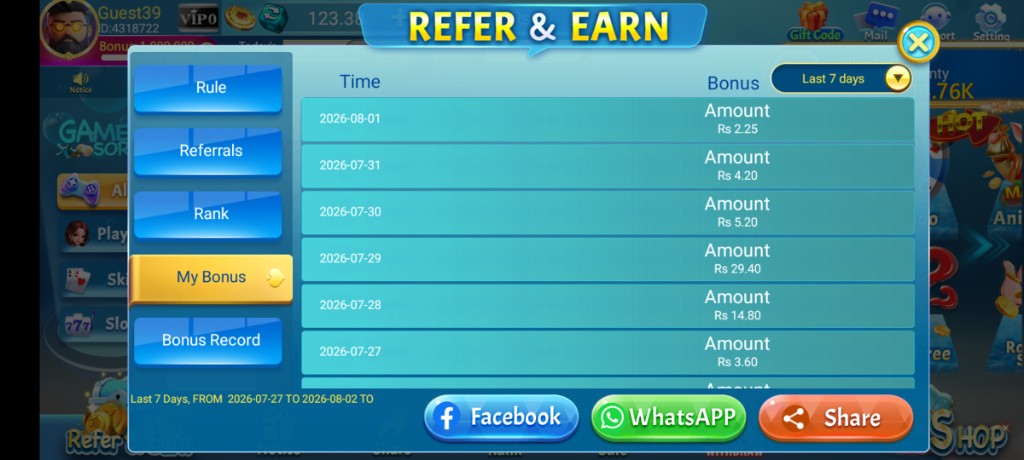
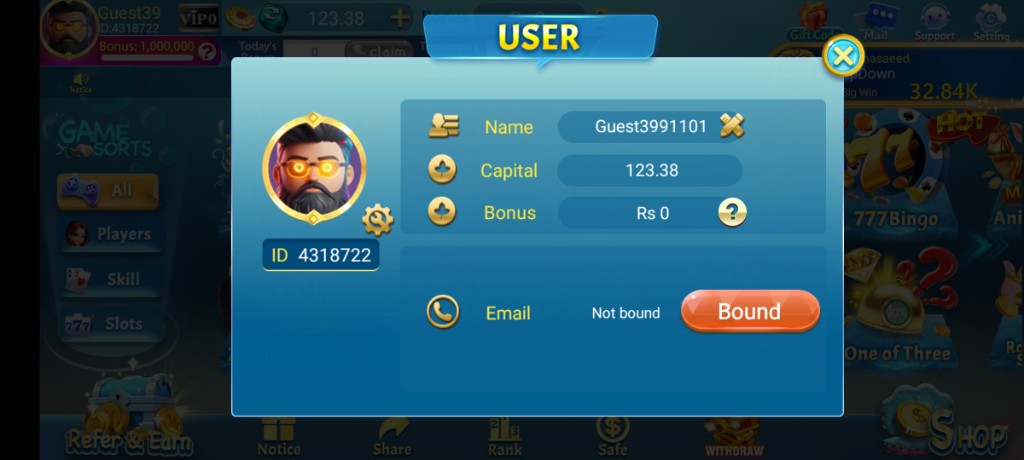
These are real app UI screenshots to make each step easier to follow. Balances and events can change, so always match what you see in your installed version.
Frequently Asked Questions
Where is Support in the app?
Often inside Shop → Support or via the Support icon in the lobby.
What is My ID used for?
It helps support identify your account. Copy it into your message.
Will support ask for OTP?
Legitimate help should not need OTP to grant “unlimited chips.” Refuse that request.
What language can I use?
Many screens include English and Urdu helper text. Clear English details still help.
What if support is busy?
Send one complete message with device and error details instead of many empty repeats.
Can Facebook comments replace support?
No. Prefer in-app channels for account issues.
Conclusion
Many tickets start as login problems — keep that checklist nearby.
Next step: How to Fix 3 Patti Pearl Login Problems.