
Map the Login Failure Before Changing Settings
Login problems in 3 Patti Pearl arrive in distinct shapes: wrong password, delayed OTP, server timeout, account not found, or a splash loop that never reaches the credential screen. Each shape deserves a different first response. Using clear data as a universal hammer turns a password typo into an avoidable lockout evening.
Write down what you see in one sentence. Include whether you use phone number, email, or another linked method. Mention whether the issue began after reinstall, after an update, or after switching phones. That sentence becomes your troubleshooting north star.
Never share OTP codes or passwords with strangers who claim they can fix login remotely.
Credential Basics That Still Catch People
Password managers and muscle memory sometimes insert an old password after you rotated it. Try a careful manual entry once. Check whether caps lock style issues or language keyboard layouts are inserting unexpected characters. If you recently reset the password on another device, wait a minute for propagation before rapid retries that trip rate limits.
- Confirm the same login method you originally used
- Enter the password carefully once without paste errors
- Use an official reset path if available rather than guessing ten times
- Save the new password in a secure place you control
- Retry on stable Wi‑Fi after a short pause
Guest sessions are not the same as linked accounts. If you played as guest on an old phone and expected the same progress after a fresh install without linking, the account may look missing. That is a linking gap, not necessarily a server deletion.
OTP Delays and SMS Paths
OTP delays are common on busy networks. Wait through one full timer before requesting another code. Rapid resends can queue multiple codes and increase confusion about which one is valid. Check SMS, message spam folders if your device uses them, and notification permission for your messenger app.
If SMS is chronically unreliable on your carrier, prefer a login method that does not depend on a fragile text path when the app offers one. Dual-SIM users should confirm the active SIM matches the number on the account. A silent SIM swap in the tray explains many sudden OTP failures.
| OTP symptom | Likely cause | First response |
|---|---|---|
| Code never arrives | Carrier delay or wrong SIM | Wait, verify SIM, avoid rapid resends |
| Code rejected | Expired or mistyped | Request a fresh code once |
| Multiple codes | Stacked resends | Use the newest only |
| No SMS app access | Permission or dual-SIM mixup | Fix permissions and SIM order |
Timeouts, Busy Servers, and Splash Loops
A timeout during login often means the network path is unstable or the authentication service is busy. Switch to Wi‑Fi, disable VPN experiments, and retry later instead of creating five new accounts in panic. New accounts do not repair old credentials and can deepen confusion.
Splash loops that never show a login form may be network or corrupted local state. Force stop, reboot, and retry. If the loop survives, clear cache before data. Keep credentials ready. If you use fingerprint or OS-saved passwords, also remember the underlying password in case the secure storage glitches after an OS update.
- Treat server busy messages as wait-and-retry events
- Test without VPN during authentication
- Avoid creating duplicate accounts to “force” entry
- Force stop before cache clear
- Reserve data clear for persistent loops after lighter steps
Method Mismatch After Reinstall
Reinstall day is prime time for method mismatch. People tap a social or phone option that looks convenient instead of the original path. The client may correctly say account not found because you are asking the wrong door. Slow down and choose the method you actually registered.
Account Recovery Hygiene
Recovery works best when you prepared earlier: linked contact paths, remembered passwords, and no shared OTP with friends. If you are locked out, use only in-app or official recovery channels. Unofficial recovery agents on social platforms are a leading source of stolen accounts in casual games.
After you regain access, immediately review where you are logged in if the app shows sessions, change the password if you typed it into any doubtful page during the crisis, and turn off risky habits like saving codes in public chat. Recovery is not complete until future lockouts are harder.
- Regain access through official flows only
- Change passwords if exposure was possible
- Re-link recovery contact details while calm
- Store credentials offline or in a reputable manager
- Refuse helper accounts that ask for remote screen control
New Phones and Device Switches
Moving to a new Android phone can trigger extra verification or simply require the same careful method choice. Install a trusted build, open on Wi‑Fi, and log in before you uninstall anything from the old phone if you still have it. Old-phone access is a safety net while the new device proves itself.
Clone apps, dual-app containers, and second-space features sometimes confuse session storage. If login works in main space but fails in a cloned container, prefer the main space for your real account. Convenience wrappers are not worth a broken auth state.
| Switch scenario | Do this | Watch for |
|---|---|---|
| New phone | Login before retiring old device | Wrong method taps |
| Factory reset | Use linked credentials, not guest assumptions | Lost unlinked progress |
| Cloned app space | Prefer primary app instance | Split session confusion |
| Family shared phone | Separate accounts, lock screen always | Accidental logouts |
Security Red Flags During Login Trouble
Phishing pages spike when players are desperate to get back in. Fake login forms, fake support chats, and fake “verification centers” ask for the same secrets an attacker needs. Stop and check that you are inside the real app. Typed passwords on random websites are a self-inflicted breach.
If someone messages you first with a screenshot of your username and offers a paid recovery, that is not proof of authority. It is proof of scraped public data or prior leaks elsewhere. Hang up the conversation.
- Stay inside the installed app for credential entry
- Reject paid recovery strangers
- Ignore links from pop-up ads promising instant unlock
- Do not install login helper APKs
- Report impersonation accounts when platforms allow
A Calm Retry Protocol
Use a timed protocol: one careful credential attempt, one OTP cycle with patience, one network switch, one reboot, then cache clear if needed. Between steps, wait enough time to avoid rate limits. Write what changed after each step so you do not repeat the same action forever.
If nothing works after a full protocol, pause for a few hours and try once more during a quieter network window. Persistent authentication outages do happen. Creating pressure on yourself rarely unlocks a busy server faster.
After You Are Back In
Claim nothing risky until you confirm the lobby is stable. Update saved passwords, verify that your usual bonuses still recognize the account, and consider linking any still-unlinked recovery options. Then resume normal play. A successful login is a good moment for hygiene, not for revenge tables.
Password Managers and Autofill Edge Cases
Autofill is helpful until it inserts an outdated alias or a password for a lookalike domain you once visited. When login fails oddly, disable autofill for one manual attempt. Type the method and secret yourself. If that works, update the manager entry immediately so the bad autofill does not return tomorrow.
Browser-saved passwords are not the same as in-app session tokens. Clearing a browser does not always log you out of the game, and clearing the game does not always clear the browser vault. Know which vault you trust and keep it unique to your entertainment logins when possible.
- Try one manual entry before assuming the account is gone
- Update vault entries after every successful reset
- Avoid saving OTPs inside public note apps
- Do not store recovery answers in the same chat where friends joke around
- Prefer a reputable manager over screenshots of passwords
Rate Limits and Cooldown Behavior
Many auth systems quietly rate-limit rapid failures. Ten quick attempts can produce generic errors that look like permanent lockouts. When you see repeated failures, wait through a longer cooldown deliberately — fifteen to thirty minutes — then attempt once with correct credentials on Wi‑Fi.
During cooldown, do not create alternate accounts as a workaround for a rate limit on your main login. Alternate accounts multiply recovery headaches and can violate in-app rules depending on policy. Patience is the cheaper tool.
| Behavior | Likely system response | Better move |
|---|---|---|
| Ten rapid wrong passwords | Temporary throttle | Wait, then one careful try |
| Five OTP resends | Queued codes / delays | Use newest code only |
| New account spam | More confusion | Stay with original method |
| VPN hopping during auth | Inconsistent checks | Stabilize one network path |
Language and Keyboard Traps
Switching keyboards between Urdu, English, and number layouts can insert invisible characters or wrong digits into phone fields. If a number-based login fails, delete the field entirely and retype slowly in a single keyboard mode. The same caution applies to email addresses with autocorrect inventing new domains.
Copy-paste from messaging apps sometimes brings hidden formatting. Paste into a plain notes field first, then into the login box, or simply type fresh. Tiny input flaws create huge “account missing” feelings.
Closing Perspective on Login Problems
Most login failures are ordinary mismatches: wrong method, delayed SMS, unstable path, or local corruption. Solve them with mapping, patience, and official tools. Protect OTPs as if they were passwords, because functionally they are.
When the door opens again, invest two minutes in prevention. Linked recovery, unique passwords, and refusal of stranger help will spare you the longer version of this story. 3 Patti Pearl is more enjoyable when access is boring and reliable.
If your issue is actually a network error after login, switch to the network-focused checklist instead of continuing to reset passwords. Correct category selection is half of good troubleshooting.
Screenshots
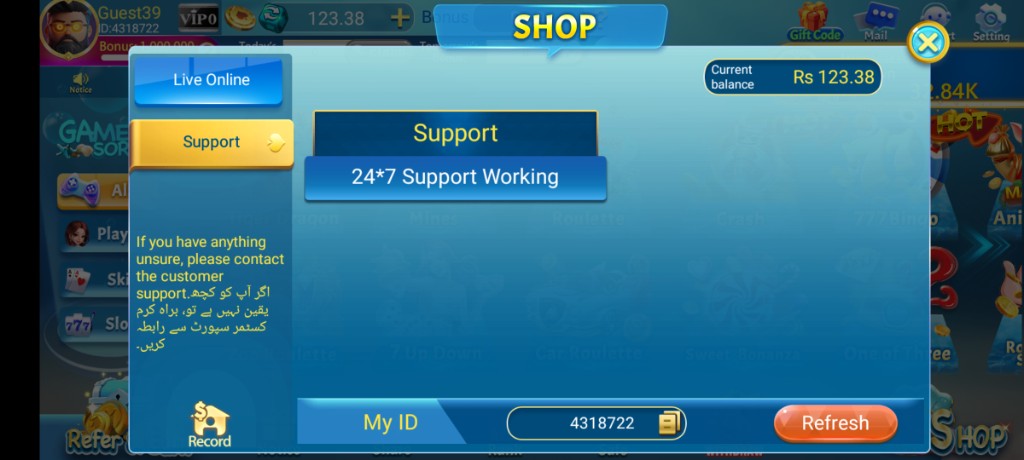
These are real app UI screenshots to make each step easier to follow. Balances and events can change, so always match what you see in your installed version.
Frequently Asked Questions
Wrong password every time. What now?
Use Forget Password carefully, then save the new credentials privately.
OTP never arrives. What should I check?
Email spam or SMS delays, correct account identity, and avoid rapid resend spam.
Login loops on splash. Why?
Network instability or outdated builds are common. Retry on Wi‑Fi after update checks.
Guest progress disappeared after reinstall.
Guest data is fragile. Register or bind account to protect progress next time.
Someone asked for OTP to fix login.
Refuse. That is not legitimate support.
Which details help support?
Account method, phone model, Android version, app version, and exact error text.
Conclusion
If credentials still fail after resets, contact in-app Support with your ID.
Next step: How to Contact 3 Patti Pearl Customer Support.