
Introduction
Creating a 3 Patti Pearl account — often through Bind Mail and password setup — turns a temporary Guest profile into something you can recover. This page walks through why registration matters, how to complete binding without duplicate submits, and what to do immediately afterward. It stays on account creation hygiene. It does not claim that registering increases win rate, unlocks unlimited balances, or replaces careful play.
Beginners in Pakistan frequently explore as Guest, collect a little progress, then reinstall after a crash and feel erased. Binding an email you can open today is the simplest preventive habit. Use an inbox you control. Avoid disposable addresses you will forget by next week. Registration is about continuity and recovery, not about JazzCash, EasyPaisa, or shop flows — those come later if you choose them.
Submit forms once on stable internet. Refresh loops from weak signal can create confusion about whether the account already exists. Wait, switch to Wi‑Fi if needed, and complete one clean attempt with OTP and captcha entered carefully.
Why Register Before Long Sessions
Registration protects time. Bonuses, referral history, and comfort with menus are annoying to rebuild. More importantly, recovery options shrink when nothing is bound to the profile. If you already like the lobby after a short Guest tour, pause play and bind credentials before the next long evening.
- Recovery becomes realistic when email and password exist
- Reinstalls are less frightening with a Logon path ready
- Support conversations are clearer when you have a stable account identity
- You reduce the urge to create duplicate Guests as “backups”
Bind Mail Steps
- Open Bind Mail or the account binding screen from your build’s account area
- Enter an email address you can open on the same day
- Request the OTP and wait before tapping resend
- Enter the captcha carefully; refresh it if the characters are unclear
- Create a strong password you will not reuse from social apps
- Confirm the password and submit once on stable Wi‑Fi
- Return to Logon and verify you can enter the lobby on that account
| Field | Why it matters | Practical tip |
|---|---|---|
| Recovery and verification | Use an inbox you control today | |
| OTP | Proves ownership | Never share it in chats |
| Captcha | Blocks automated abuse | Retry calmly if it fails |
| Password | Account security | Unique, not your WhatsApp pattern |
| Submit | Creates the binding | One clean attempt beats triple taps |
OTP and Captcha Without Frustration
OTP delay is not always a broken registration system. SMS and email routing both lag at times. Check spam folders for email codes. Confirm you typed the same address you can open. For captcha failures, slow down: wrong characters and unstable pages cause most repeats. Do not hand the OTP to someone offering to “finish registration for you.”
Registration help never requires sharing your live OTP or password with a stranger.
Password Choices That Age Well
Short numeric passwords and reused social passwords are common failure points. Choose something longer and unique even if the app is “just entertainment.” Entertainment accounts still attract phishing because people reuse credentials elsewhere. Store the password privately. If the app later offers additional binding options, evaluate them with the same caution.
Avoiding Duplicate Attempts
When the form refreshes mid-submit, wait. Opening three registrations with tiny email typos creates a mess you will not want during recovery. If the app says the email is already used, try Logon or reset rather than inventing a second identity immediately. Clean account hygiene beats a folder of half-made profiles.
After Registration
Log in once to confirm success. Find Support, bonus, and profile areas so you know the map. Keep the next session educational: rules and short practice, not maximum pressure. Daily bonus and referral features make more sense on a bound account, yet they still are not income plans. Registering simply means your progress has a door to return through.
- Confirm Logon works before you invest in long tables
- Note your visible account ID somewhere private
- Skip high-pressure play while menus still feel new
- Ignore anyone selling registration “boosts” or guaranteed welcome cash
Common Registration Mistakes
Registration mistakes are specific: disposable email you cannot open, OTP sharing, captcha rage-taps, and binding after you already lost a Guest stash you cared about. Another mistake is assuming payments are required to register — they are not. Shop methods are a separate decision later and should never be rushed under hype.
| Mistake | Result | Repair |
|---|---|---|
| Temp email you forget | Recovery dead end | Bind a real inbox you use |
| OTP shared in chat | Account theft risk | Stop sharing; change password if possible |
| Triple submit on weak data | Confused state | Wi‑Fi + one clean retry |
| Guest-only for weeks | Progress fragility | Bind before the next long session |
| Fake “register unlock” APKs | Security risk | Delete and return to normal app flow |
Registration Checklist
- Email or recovery path you can access now
- OTP completed only inside the official flow
- Captcha entered without frantic refreshes
- Password unique and stored privately
- Successful Logon confirmed once
- Short practice plan ready — not a spending dare
When those steps are done, you have an account foundation. Learn how to play next, then rules, then pacing. Registration is setup furniture. It should feel calm, reversible through official reset tools, and free of fake earning promises.
Choosing an Email You Will Still Own
The best registration email is boring: an inbox you open weekly, not a throwaway created for one evening. Work addresses and school portals sometimes block OTP mail or expire when you change jobs. A personal Gmail or similar account you control independently is usually safer for entertainment recovery. If two people share a household email, decide who owns the Pearl profile before binding to avoid future arguments during password resets.
Spelling matters more than creativity. A single wrong character in the bind field creates an account you cannot verify later. Read the address aloud once before requesting OTP. Copy-paste from your contacts app when possible instead of typing from memory while distracted.
Registration Timing Relative to Play
Register before your first long table session, not after you already feel emotionally invested in a Guest stash. The psychological cost of binding rises when you think you are “protecting winnings.” Binding early keeps the story simple: this profile belongs to me, and I can return tomorrow. Delayed registration is how beginners turn a ten-minute tour into a recovery crisis.
- Complete binding on the same day you decide to keep the app
- Log out and log back in once to prove credentials work
- Store recovery details before exploring shop or VIP panels
- Tell one trusted person where credentials live if household sharing is likely
When Support Questions Arise After Binding
If binding succeeds but the lobby still shows Guest-like behavior, note the visible account ID and compare after a clean restart on Wi‑Fi. Do not bind a second email in panic. Support messages should describe what the screen shows — bound status, error text, approximate time — without passwords or OTP codes. Registration problems are usually timing or typo issues rather than proof that the app is rigged.
| Registration state | What to verify | Do not do |
|---|---|---|
| OTP pending | Inbox and spam folders | Share code in group chat |
| Captcha failing | Refresh once; slow typing | Triple-submit on weak data |
| Bind success unclear | Logon test on Wi‑Fi | Install mod APK to “unlock” |
| Email already used | Try Logon or reset | Create parallel Guests |
Registration completes ownership, not odds. A bound account can still lose hands; it simply survives reinstalls better.
Inbox Readiness Before You Bind
Open your email app first and confirm you can receive messages. Clear enough inbox clutter to notice a new OTP mail. If you use multiple Google accounts on the phone, know which one you will type into Bind Mail. Typing account A and watching inbox B is a classic self-own. Registration is mostly careful matching, not technical brilliance.
For people who prefer phone-number habits in other apps, still follow whatever Pearl’s current build requests. Do not invent fields. If the screen asks for email, use email. If additional verification appears later, treat it as a new checklist item rather than a conspiracy. The through-line is access: you must be able to open the recovery channel today and next month.
| Ready check | Pass signal | Fail signal |
|---|---|---|
| Inbox access | You can open mail now | Password forgotten for that inbox |
| Spelling | Address typed twice matches | Autocorrect changed the domain |
| Network | Wi‑Fi stable | Page reloads mid-captcha |
| Time | You can wait for OTP | You are rushing out the door |
Migrating Away From Guest
If you already played as Guest, bind as soon as you decide the app deserves more than a trial. Waiting until after a storage cleanup is how people lose a week of comfort progress. Binding does not make you a high-stakes player; it simply attaches a door to the room you already entered. After binding, perform one Logon cycle so you know the door works.
- Stop mid-lobby and open account binding
- Complete email, OTP, captcha, and password
- Verify Logon on a fresh app open
- Confirm bonus or profile details still look familiar
- Write down the account ID in a private note
Support Prep Tied to Registration
Registered users can send clearer Support messages: account ID, approximate bind time, and whether OTP mail arrived. That is more actionable than “my Guest vanished.” Still never include passwords. If OTP never arrives, mention your mail provider and whether spam was checked. Good reports shorten back-and-forth and reduce the temptation to install shady “repair” tools.
- Copy My ID from the in-app profile/support area when available
- Describe the exact screen where binding failed
- Note whether captcha or OTP was the blocker
- Avoid creating five partial accounts while waiting for a reply
Privacy Basics for New Accounts
Use a display name you are comfortable seeing in a casual game setting. Avoid putting sensitive personal data into chat profiles. Registration fields exist for recovery and access control, not for publishing your life story. If a stranger messages you claiming that newly registered accounts must verify through an external website, treat it as suspicious.
Also separate entertainment passwords from banking app passwords without exception. Even though Pearl is a card lobby, credential stuffing is opportunistic. Unique passwords are a seatbelt. They do not make the cards kinder; they make account loss less likely when some other site leaks elsewhere.
Creating an account is continuity work. It is not a promise of income, unlimited chips, or special private rooms.
Timing Your Bind
Bind when you are calm and connected, not during a heated table streak. People rushing through captcha after a loss mistype more and rage-tap submit. A two-minute pause before registration saves twenty minutes of cleanup. Think of binding as closing the setup chapter so later chapters can be about learning rules instead of recovering ghosts.
Captcha Retries That Stay Clean
Unclear captcha art is normal on small screens and bright outdoor light. Move indoors, raise brightness, and refresh the captcha rather than guessing five times in fury. Each furious guess increases the chance of temporary blocks or form resets. If the page reloads, re-enter fields carefully instead of assuming the account already exists — then try Logon if the app says the email is taken.
Accessibility tip: if characters are tiny, rotate to landscape when the UI allows, or use a stylus if you have one. These small adjustments beat abandoning registration for a shady “skip captcha” tool. There is no trustworthy skip tool worth your account.
- Refresh unclear captcha art once
- Avoid submitting empty captcha fields
- Keep OTP ready but private while finishing captcha
- Submit the whole form only when every field looks right
Post-Bind Map of the Lobby
After binding, take a quiet lap: profile identity, Support entry, bonus area, and the Logon path from a cold start. This map confirms registration succeeded functionally, not only by a success toast. If anything looks like a different account, stop playing and resolve identity before you invest time. Registration quality is measured by recoverable access, not by how fast you reached a table.
- Cold-start the app and Logon
- Confirm profile/ID looks right
- Open Support once to see the path
- Locate bonus panels without claiming under confusion
- Begin a short learning session only after the map feels clear
Screenshots
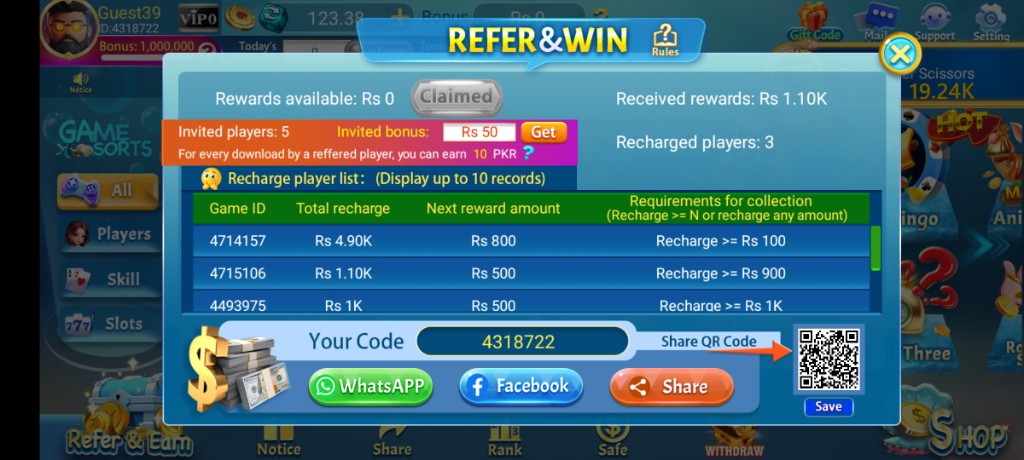
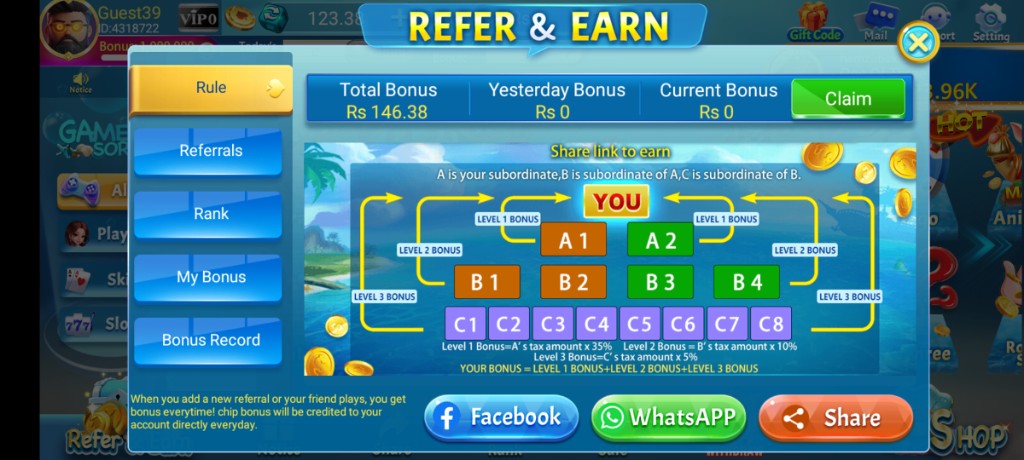
These are real app UI screenshots to make each step easier to follow. Balances and events can change, so always match what you see in your installed version.
Frequently Asked Questions
Is Bind Mail the same as full registration?
It is the key step that links recovery details and password protection to your account.
Which email should I use?
Use an email you can open today. Temporary emails make recovery harder.
Captcha failed. What should I do?
Refresh captcha, check typos, and retry on stable internet.
Can someone register for me if I share OTP?
Do not share OTP. That is a common account-theft pattern.
Do I need JazzCash to register?
No. Registration is about account binding. Payments are a separate shop flow later.
What if submit keeps refreshing?
Network instability can break forms. Wait, switch to Wi‑Fi, and submit once cleanly.
Conclusion
With Bind Mail done, your next job is learning how to play calmly.
Next step: How to Play 3 Patti Pearl on Android.