
What a Changelog Habit Is For
A changelog habit for 3 Patti Pearl is not a rumor scrapbook. It is a personal method for reading updates, verifying versions, and retesting the app without panic. Sideload ecosystems scatter notes across banners, community posts, and download bullets. Your job is to turn scattered claims into a short checklist you can run after each update.
This page does not invent a fake version history with dramatic patch numbers. Exact release text changes over time. What stays useful is the evaluation process: note what you had, update carefully when needed, classify what changed, and confirm login plus core menus still work.
Before You Update
- Write down the current version label if the app shows one
- Confirm you still know your login method
- Free storage space so the new install does not stall
- Prefer a trusted Wi‑Fi window over a shaky commute download
- Ignore strangers selling “special update packs” with hacks
If the app still works and no required update blocks you, you are allowed to wait. Not every banner demands an instant night install. Waiting beats installing three mirrors because a status message said “urgent mega update.”
How to Read Update Notes
Sort claimed changes into buckets: stability fixes, UI moves, reward or event changes, and payment-screen tweaks. A one-line note that says “bugs fixed” can still be valid. A flashy caption that promises new guaranteed profit modes is marketing, not a patch note. Believe what you can verify in the lobby after updating.
When two sources disagree — one screams about a brand-new mode, another mentions only bug fixes — update once through a careful path and verify yourself. Third-party sensational captions exist to win clicks. Your phone is the lab; keep experiments small and reversible.
| Claim type | Healthy response | Unhealthy response |
|---|---|---|
| Bug fixes / stability | Update carefully and retest login | Assume the app was “rigged” before |
| UI rearrangement | Remap menus for two minutes | Install a second APK in panic |
| Event banners | Read timers inside the app | Chase rumor calendars in chats |
| Secret win packs | Reject and stay on clean files | Pay a tip seller for a “mod update” |
When Official Notes Feel Too Short
Short notes invite fiction. Players invent stories to fill silence. Better response: take the short note literally, then run after-update tests to build your personal changelog. If a new event banner appears, log it as an event. If crashes drop, log a stability win. Evidence beats fan fiction.
Five-Minute After-Update Tests
- Cold start the app and reach the lobby
- Confirm your account identity looks correct
- Open settings and support entry once
- Check bonus or rewards counters for obvious breakage
- Join a low-pressure table for a single short hand if you play
If any step fails, stop grinding tables and diagnose. Note the exact error text, network type, and whether the failure is new after the update. The update page on this site covers safer install flow; the not-working and login-problem pages cover ordered fixes. Do not stack five random APKs on top of one failure.
Simple Version Journaling
Keep a tiny note: date, version label, source nickname you trust, and three bullets on what you personally observed. This journal helps when support asks what changed. It also stops gaslighting from group chats that rewrite history every week. You do not need a public blog — a private note is enough.
- Date and approximate time of update
- Version string if visible
- Login method still working: yes/no
- Menus moved: which ones
- New errors: exact wording
Never paste passwords, OTPs, or full payment account numbers into a changelog note you might screenshot later.
Rumor Filter for Update Season
Update season attracts clone pages and fake “leakers.” Filter rumors with three questions: Can I verify this in my install? Does the claim require a mod file? Does someone ask for money or OTP to unlock the update? Any yes on the last two questions ends the conversation. Pearl entertainment does not need conspiracy patches.
Also filter performance rumors. “This update ruined all Pakistan networks” is usually a congested evening plus coincidence. Test on Wi‑Fi and data separately before you publish anger in family groups.
Shared Phone Update Caution
If relatives share the device, announce updates. Suddenly moved bonus buttons create mistaken double claims and login typos. A one-line family message — “Pearl updated; menus may move” — prevents support tickets that are actually household confusion.
Changelog maturity arrives when you treat updates as maintenance more often than as drama. Sometimes features arrive; sometimes silent fixes arrive. Both are valid. Your job is to keep limits intact so a shiny banner cannot drag you into unsafe files or sleepless grind sessions. When an update is truly required, use the safe update flow, run the five-minute tests, write three journal lines, and return to normal play.
Event Banners Versus Client Changes
Players often confuse temporary event banners with permanent client changes. An event can look like a “new game mode” while the underlying app only added a timed lobby entry. Classify what you see: does it disappear with a timer, or did settings and core table flow change? Misclassification creates false changelog panic and unnecessary reinstalls.
When an event ends, do not assume the app broke. Menus returning to normal is not data loss. Check rewards tabs for leftover claim buttons before you message support in frustration. Many “missing feature” reports are ended events.
After an Android System Update
Sometimes Pearl feels different right after an Android system update even when Pearl itself did not change. Permission layouts move; battery restrictions tighten; background network behavior shifts. Add an OS update line to your journal when relevant so you do not blame the wrong layer.
Retest login, notifications related to OTP if you use SMS flows, and file access for installs. If only install permissions changed, fix that path before downloading random replacement APKs. System updates and app updates are different changelog stories.
- Note Android version after system updates
- Retest unknown-app install permission surfaces
- Retest OTP arrival timing expectations
- Retest Wi‑Fi versus data on peak hour
Coordinating Updates With Friends
Friend groups suffer when half update and half do not, then blame “rigged tables” for version mismatch feelings they cannot prove. Coordinate: pick a day, share only the careful source, and confirm everyone can log in before scheduling a long night. Coordination is not paranoia; it is how sideload social play stays sane.
If one friend refuses safe sources, do not let them dictate the group file. It is acceptable to delay play until the file path is clean. Changelog discipline includes social courage.
Writing Personal Release Notes
After each update, write three bullets maximum: what improved, what moved, what still hurts. Personal release notes beat memory. They also help you notice if a problem existed before the update — a common bias is to pin all pain on the newest change.
Store notes with dates. Over a month you will see patterns: maybe evening data is the villain, not the patch. Maybe a bonus counter confuses you only when you are tired. Changelog literacy improves self-literacy.
- Bullet what you verified, not what a stranger claimed
- Bullet UI moves with old location → new location
- Bullet any error text worth saving for support
- Stop at three bullets to avoid novel writing
When notes stay short and tests stay consistent, update season becomes maintenance. That is the goal. Pearl does not need a conspiracy soundtrack every time a banner appears. Read, classify, update carefully if needed, verify, journal, and return to limited sessions with rankings still in mind.
Store-Less Reality: Notes Are Scattered
Play Store apps sometimes centralize notes. Pearl-style sideload realities scatter notes across banners, chats, and download bullets. Build an interpretation framework instead of demanding a perfect official diary. Scattered notes become dangerous only when you let strangers narrate them into fear.
Collect claimed changes into a short list, mark each as event, UI, or stability, update carefully once, verify with the five-minute script, then journal. That sequence is the changelog product. Temporary bullet lists online will expire; your sequence will not.
Spotting False Regressions
A false regression is when you think an update broke something that actually changed because of storage pressure, a new Android battery mode, or a moved menu. Before you roll back through random older APKs, run storage and network checks and remap menus for two minutes. Rolling back through unknown older files can introduce signature conflicts worse than the annoyance you felt.
If you truly need an older build, still use careful sources and accept that mixing eras without notes creates support fog. Prefer forward fixes when possible.
When to Involve Support After an Update
Involve support when a careful update plus the five-minute tests still leave a reproducible error with exact text, especially around login identity or reward counters that never refresh on Wi‑Fi. Do not involve unofficial agents. Bring version notes from your journal, device model, and what remained broken after local checks.
If the only symptom is “I dislike the new icon placement,” that is preference, not a ticket. Remap menus and continue. Saving support for true breakage keeps your own expectations realistic and your messages sharper.
Changelog calm is a reusable skill. Once you can classify event versus client versus rumor, update banners lose their power to stampede you into unsafe files. Keep that calm even when friends forward panic screenshots without version numbers or context.
One-Page Update Card You Can Reuse
Copy this tiny card into your notes app: version before, version after, source used, login OK, bonus counters OK, new error text if any. Filling the card takes under a minute and prevents the foggy feeling that every update is both catastrophic and forgettable. Reuse the same card for months so patterns appear.
Screenshots
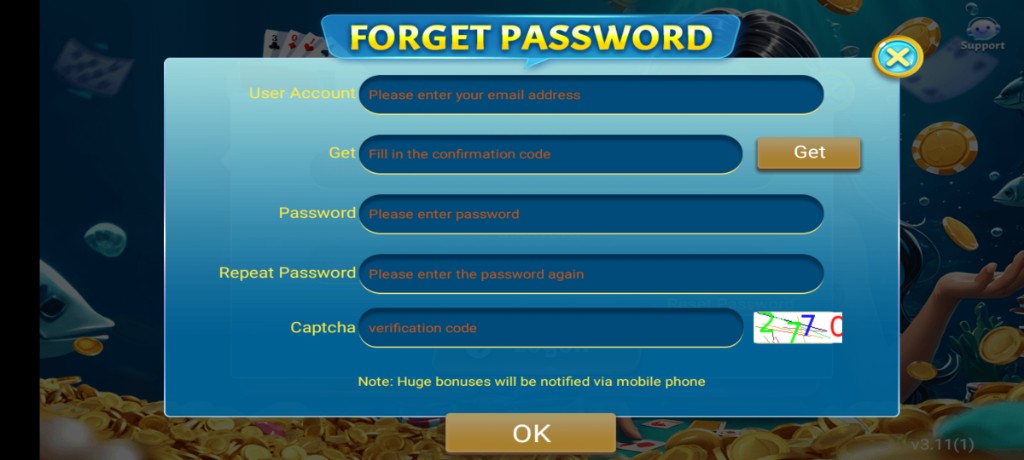
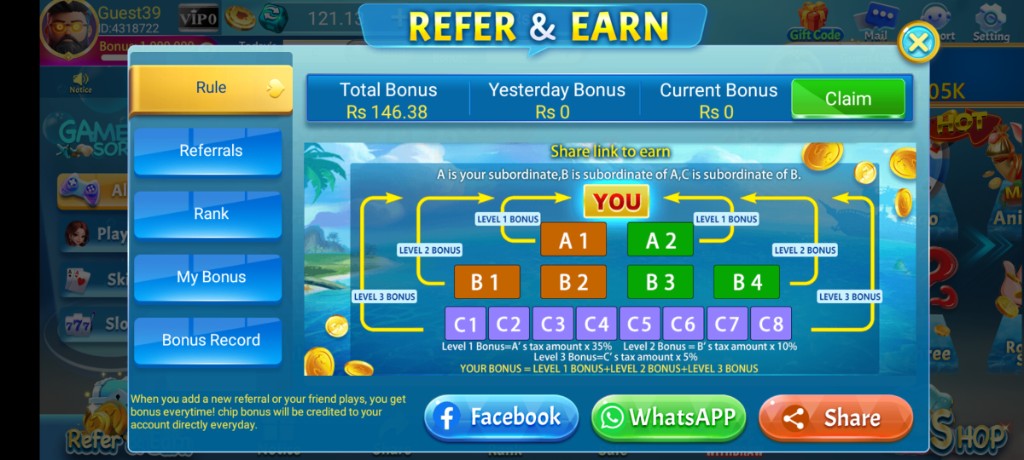
These are real app UI screenshots to make each step easier to follow. Balances and events can change, so always match what you see in your installed version.
Frequently Asked Questions
Why don’t you list one permanent version number?
Numbers change often. Learn how to evaluate each update instead.
Should every update be installed immediately?
Prefer stable Wi‑Fi and account linking first, especially for large downloads.
An update moved a button. Is the app broken?
Often the control moved. Check settings, events, and profile menus.
Are community rumors reliable?
Verify inside the app. Ignore “secret win update” posts.
What do I test after updating?
Login, lobby load, bonus claim, and basic table entry.
Where is the safe update process?
See the update APK page.
Conclusion
When an update is required, use the safe update page for the install flow.
Next step: How to Update the 3 Patti Pearl APK Safely.